Role
UX Researcher
Duration
4 Weeks
Team
4 UX Designers
Tools
Figma, Miro, Private Panels
Project Overview
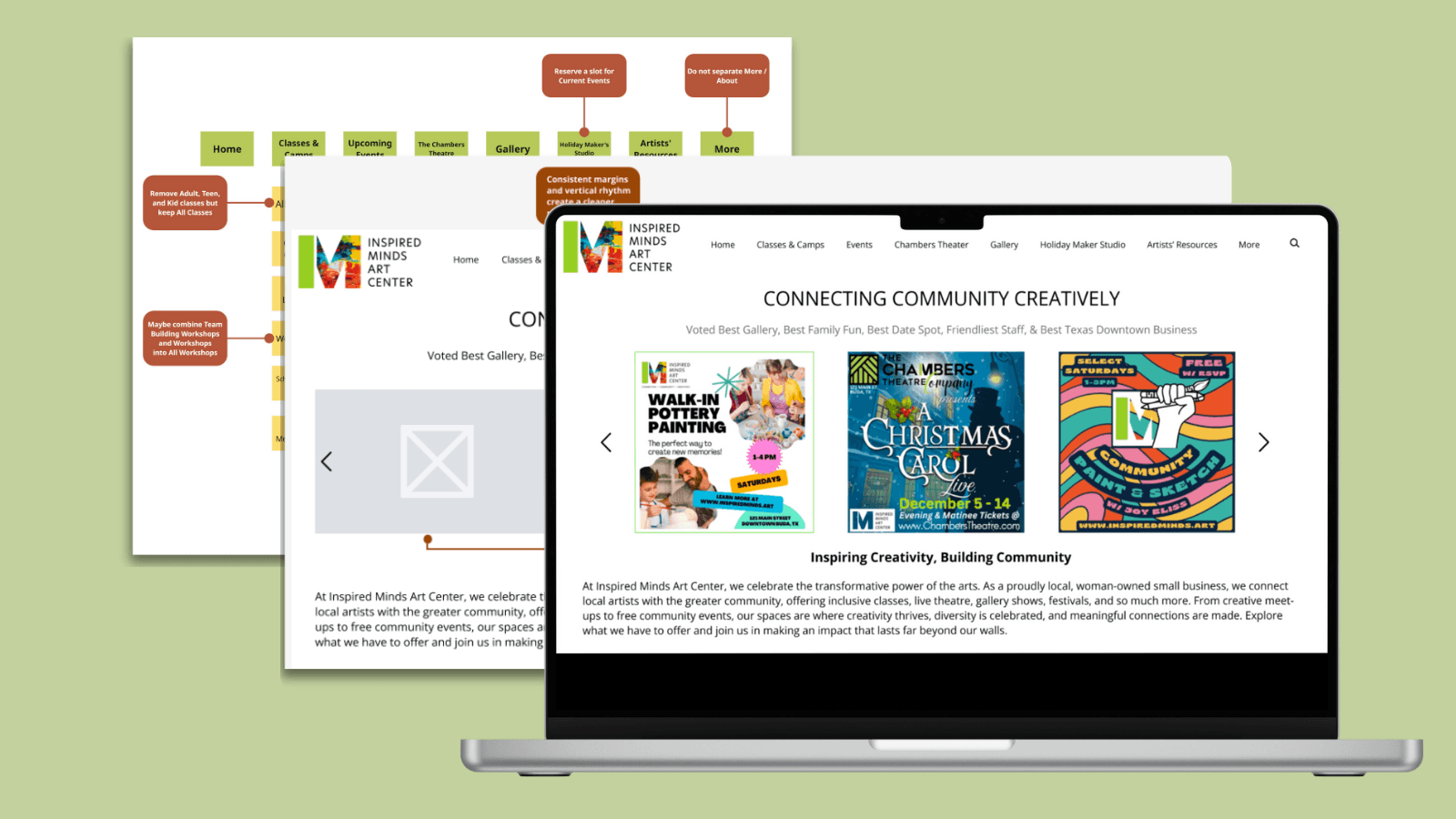
This project focuses on enhancing the overall user experience by creating a more intuitive and seamless interaction, allowing users to engage with the center’s resources naturally and effortlessly.
The Problem
Users struggle to navigate the website and find the information they need, leading to frustration and repeated clicks. . The organization needs a more modern, user-friendly design that allows all users to access content quickly, while also being easy to update and maintain.
The Result
By streamlining the site structure and improving navigation, users located key information significantly faster, cutting search steps by ~40%.
My Contributions
Introduction
About Inspired Minds Art Center: Clear Goals without A Roadmap
What We Learned from our First Meeting
During our initial client meeting, it became clear that the Inspired Minds Art Center team cared deeply about their website and were eager to improve it. They discussed ideas ranging from restructuring the site map and building a foundational design system to exploring a dashboard for visualizing key performance metrics.
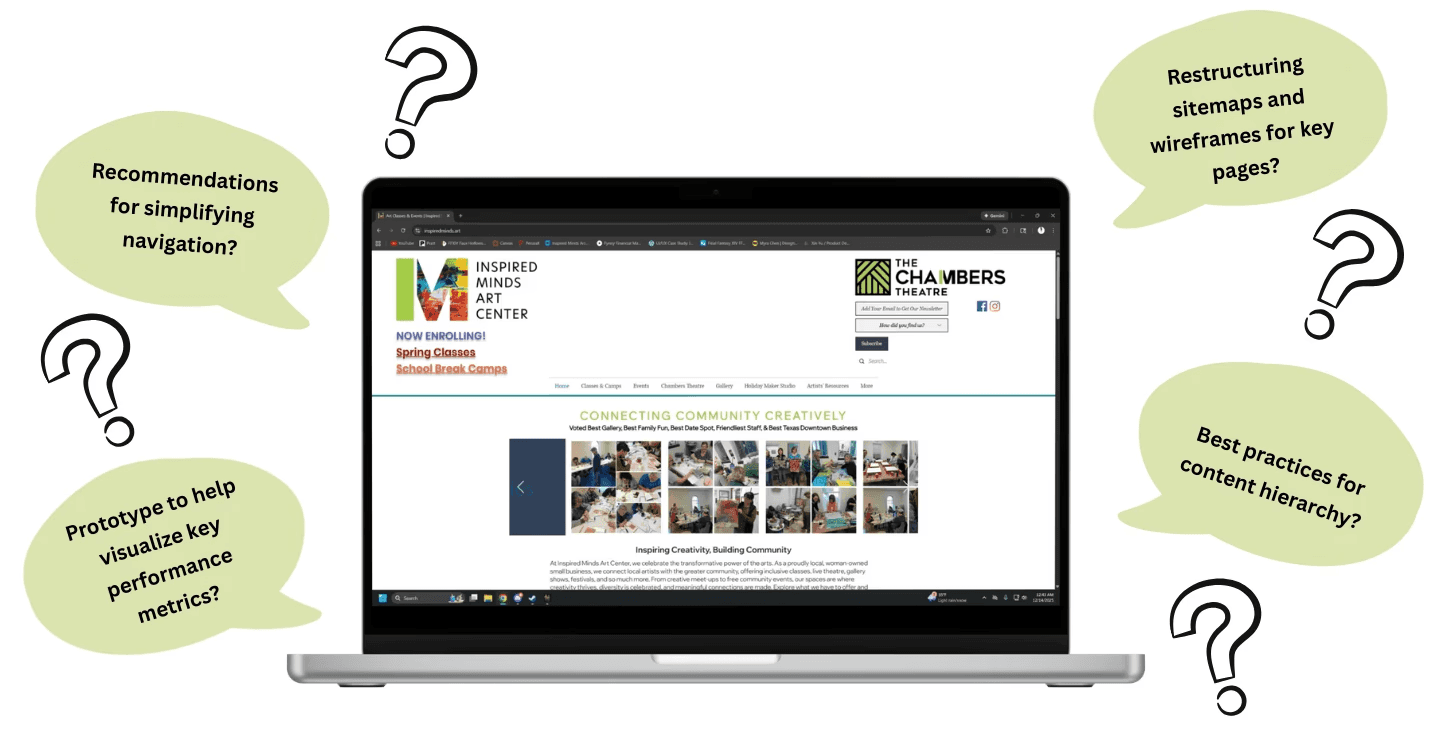
Figure 1. The Initial Website with the Project Scope as given to us
Focusing on UX
Given the limited time we had to spend with this project, we decided to narrow the scope to focus solely on usability. To maximize the impact of our work within the timeline, we clearly communicated this focus to the client, aligning expectations and establishing a shared understanding of what could realistically be achieved.
Methodology
Developing the Roadmap through Usability Testing
Creating our Moderated Remote User Test
To better understand how users interact with the Inspired Minds Art Center website, we conducted a remote moderated usability test. Our goal was to uncover current pain points, so we designed a series of tasks and scenarios reflecting common actions a typical visitor might perform:
You have a friend visiting you this upcoming week who likes to attend art workshops. Find one and see when it starts (cost is not a concern).
Your neighbor mentioned that their teenage daughter is interested in taking a pottery wheel-throwing class. Check whether the Inspired Minds Art Center offers this class for non-adults.
You want to plan a fun night out with some friends, find out how the Inspired Minds Art Center might be able to accommodate this.
Find some upcoming musical events in December that you may be interested in.
You want to watch a theatre show. Find out when the next show is scheduled at the Inspired Minds Art Center.
Final Participant Profiles
In total, we conducted 8 moderated usability tests. Participants were screened to have a general interest in arts to reflect the target audience of the website. Additionally, we also asked how they usually located art related events to better understand their previous experience coming into our testing.
Our final participants were mainly female, between the ages of 25-34.
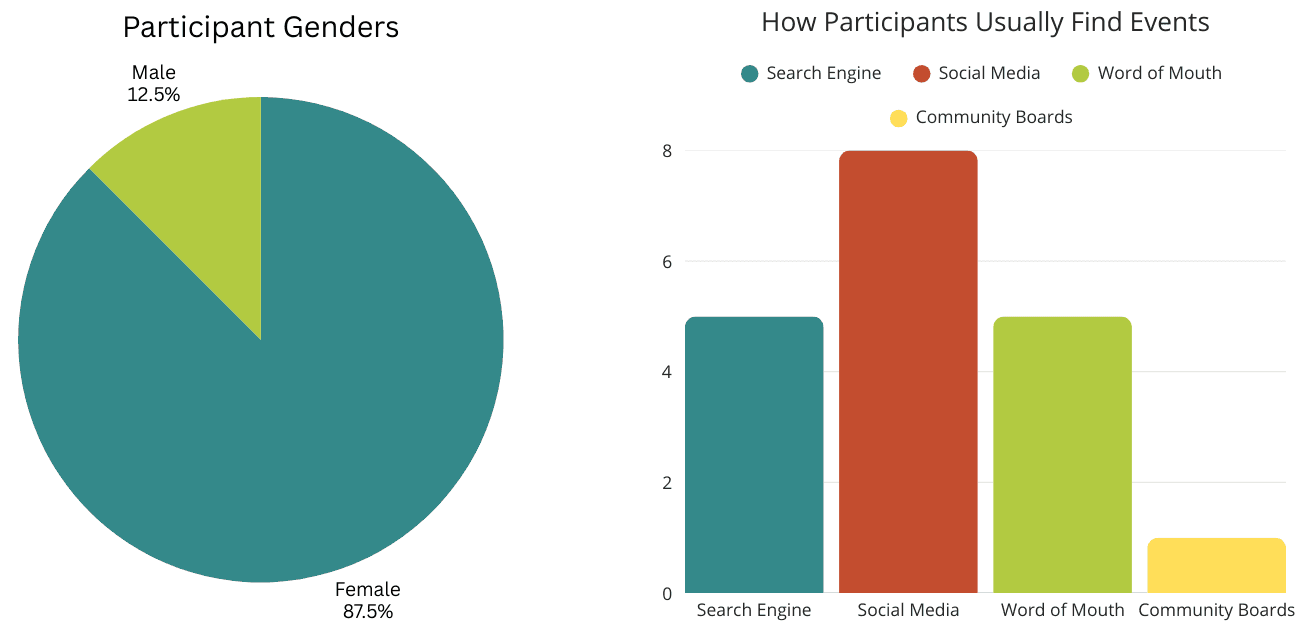
Figure 2. Participant Genders ( Left ) and Pre-Test Questions ( Right )
Overall Findings
Fun Events Overshadowed by Information Overload and Repetitive Navigation
Overall, participants responded positively to the quality of content on the website and found the events fun and engaging. However, analysis of our usability test notes revealed core usability issues that were consistently highlighted across multiple user sessions:
Difficulty Finding Information
Participants frequently struggled to find information, often feeling overwhelmed by numerous navigation paths and dense visual layouts on key pages.
Navigation Overload
Excessive drop-down menus and unclear pathways increased search time and led to confusion.
Readability Struggles
Thin font sizes and low-contrast text made content harder to read and scan across multiple pages.
From these key issues, we developed design recommendations that would align with our clients goals. I took ownership of the site map redesign, reorganizing the website’s structure to improve navigation and overall user experience.
Key Issues and Recommendations
Overwhelming Landing Pages, Confusing Navigation, and Legibility Challenges
Issue 1: Overwhelming Landing Pages
When participants first opened the website, they were quickly overwhelmed by the amount of information on the landing page. While they appreciated the event carousel, inconsistent image sizes created visual clutter.
“I think my immediate comments are just that there are way too many things you can select from the homepage, I think it needs to do a better job consolidating that and helping point you where you need to go.” - Participant
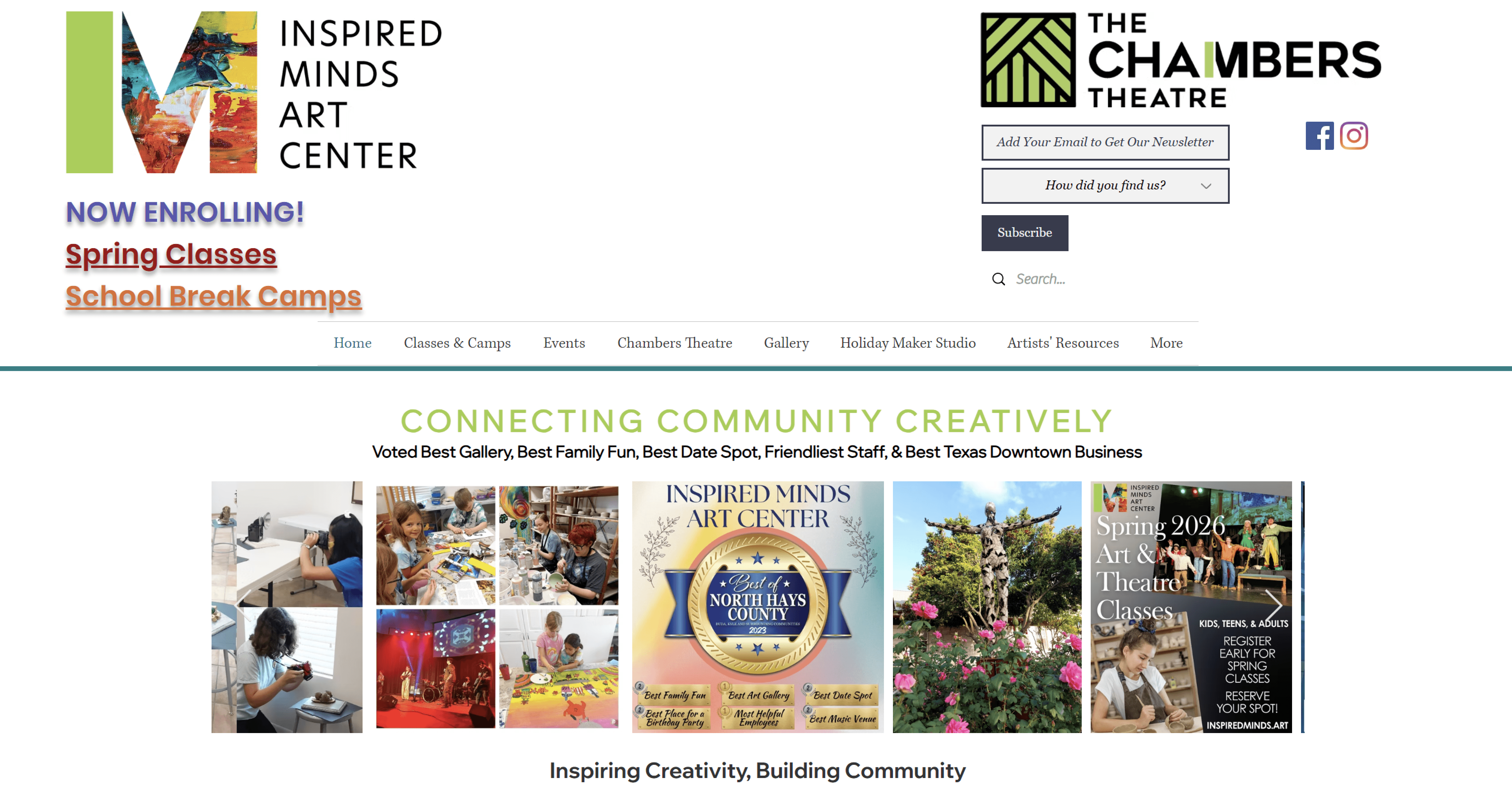
Figure 3. Default landing page displaying overwhelming information in header.
Users were also confused by the oversized footer, unsure whether it marked the end of the page or was part of the main content.
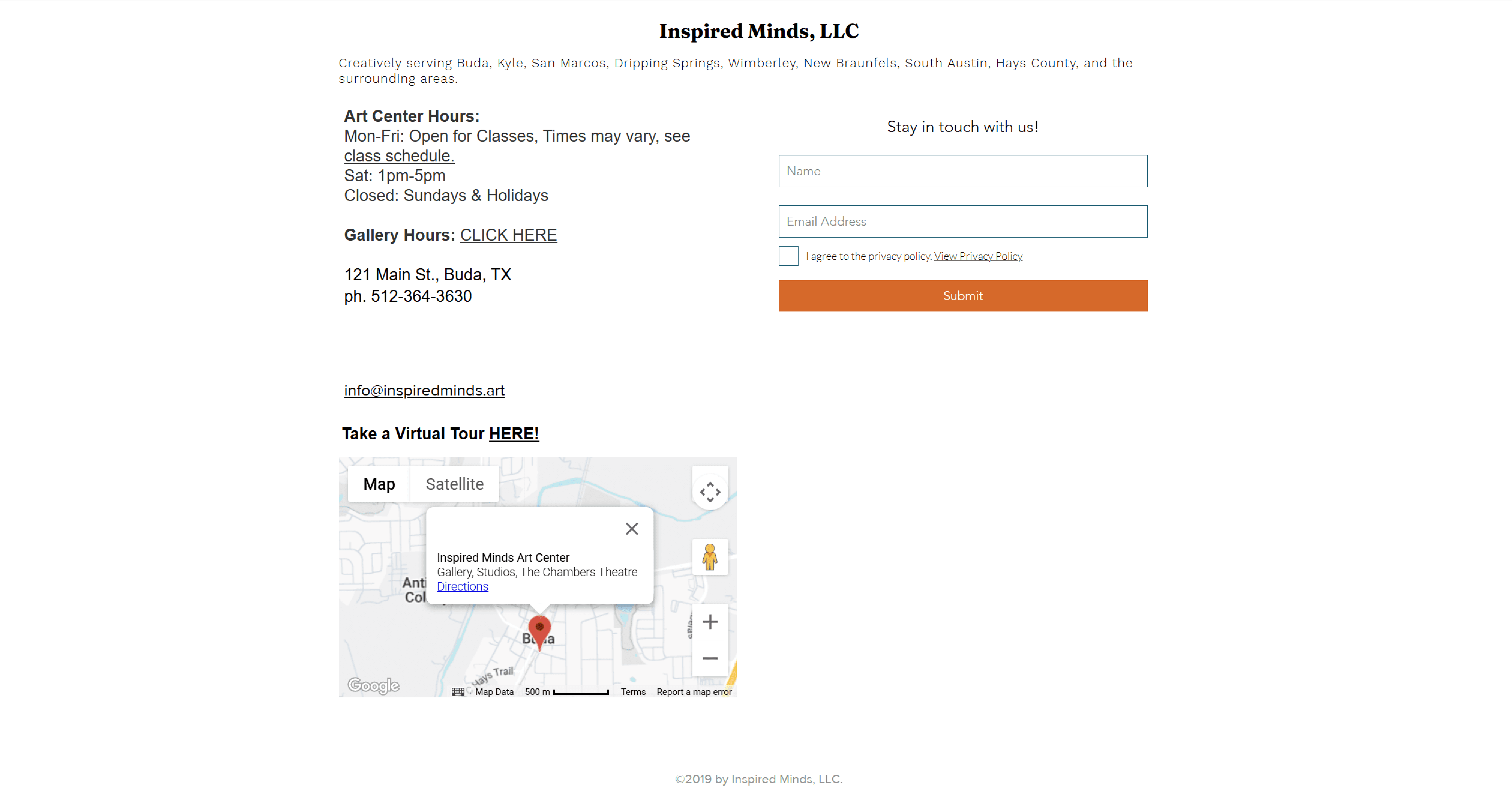
Figure 4. Footer, Screenshot taken at 75% in order to capture the full footer
Recommendation
Reduce visual clutter and improve clarity; Move non-essential elements in the header to the footer
We simplified the landing page by reducing visual clutter and reorganizing the header and footer, allowing the header to clearly guide users and freeing up space for meaningful content. The carousel was standardized with consistent image sizes to improve readability and visual cohesion.
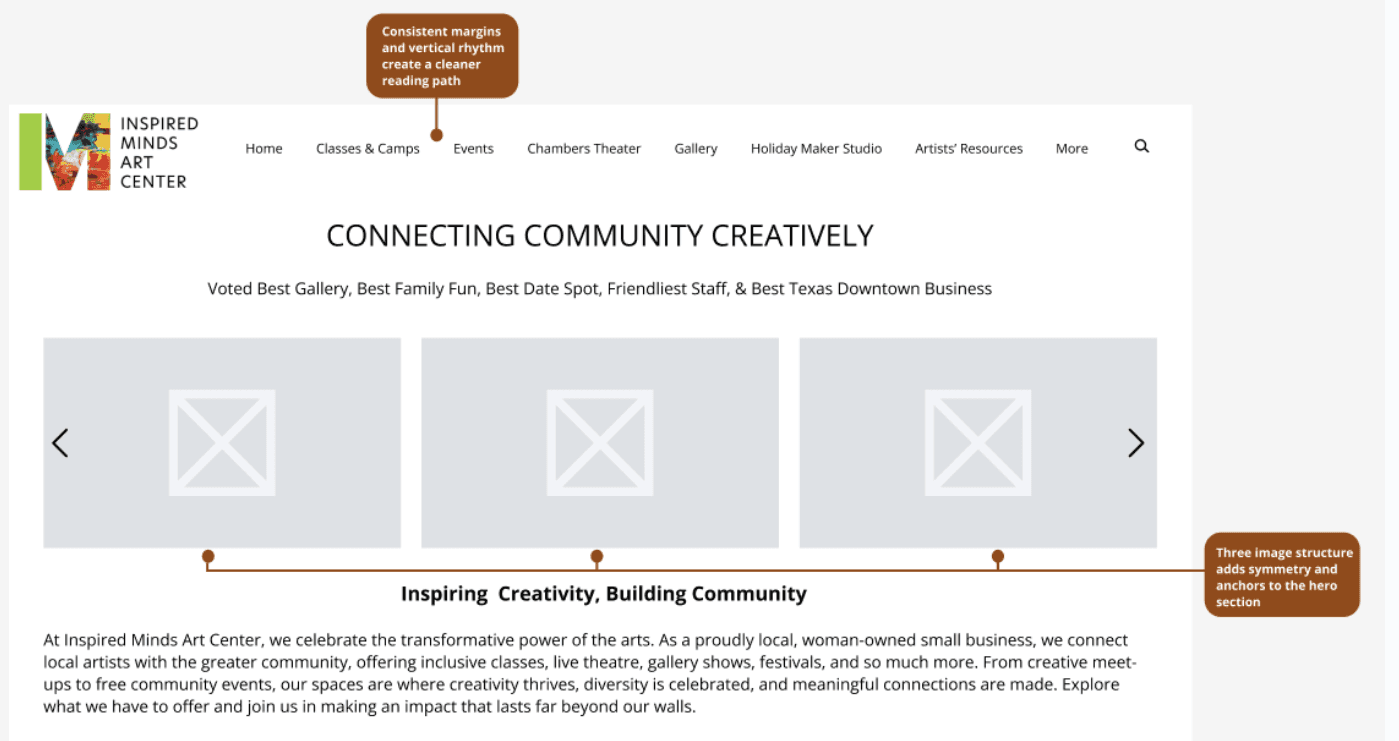
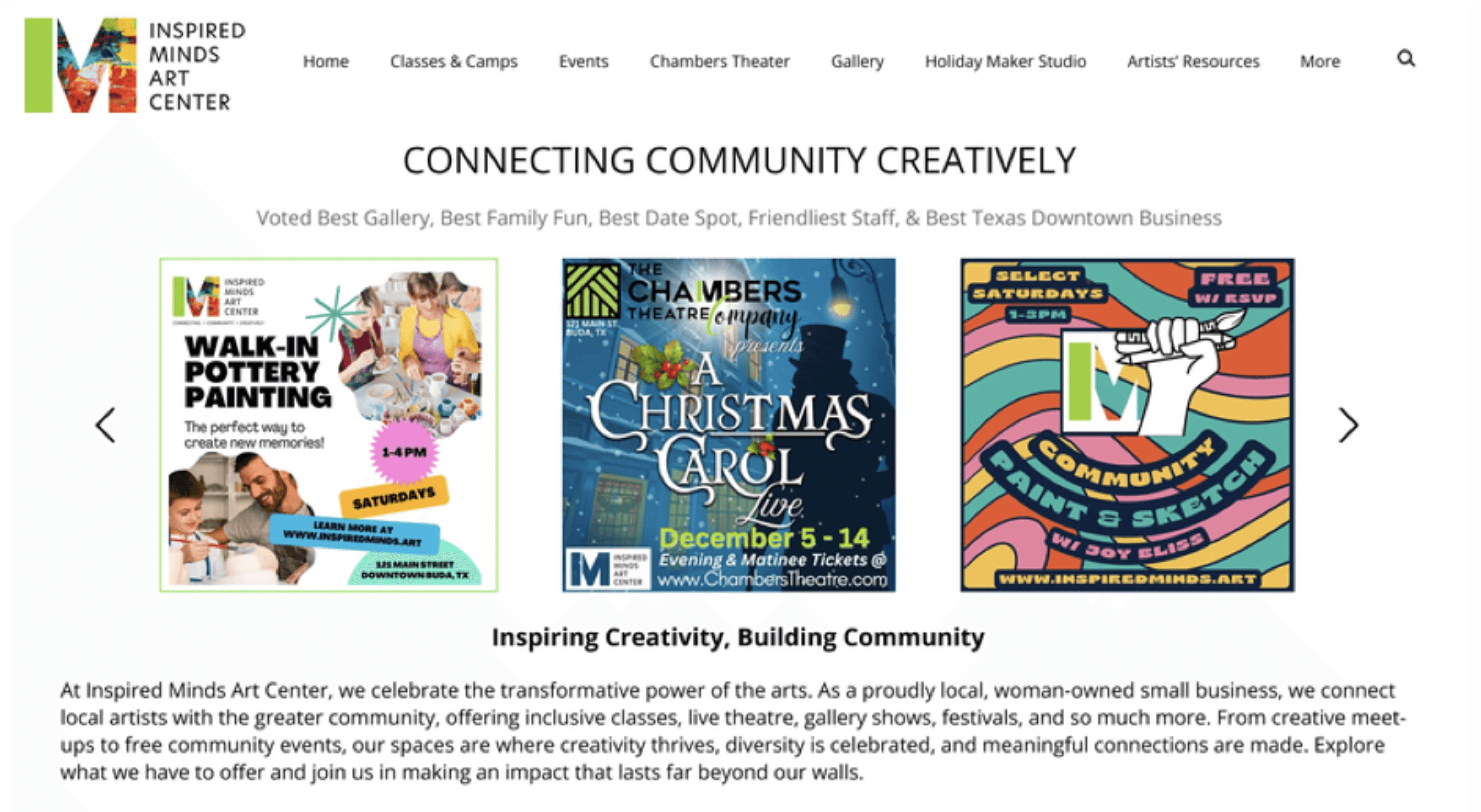
Figure 5. Our Mockup for the Landing Page with a focus on Clarity
The footer was redesigned to highlight key elements and make better use of space while supporting easy navigation.
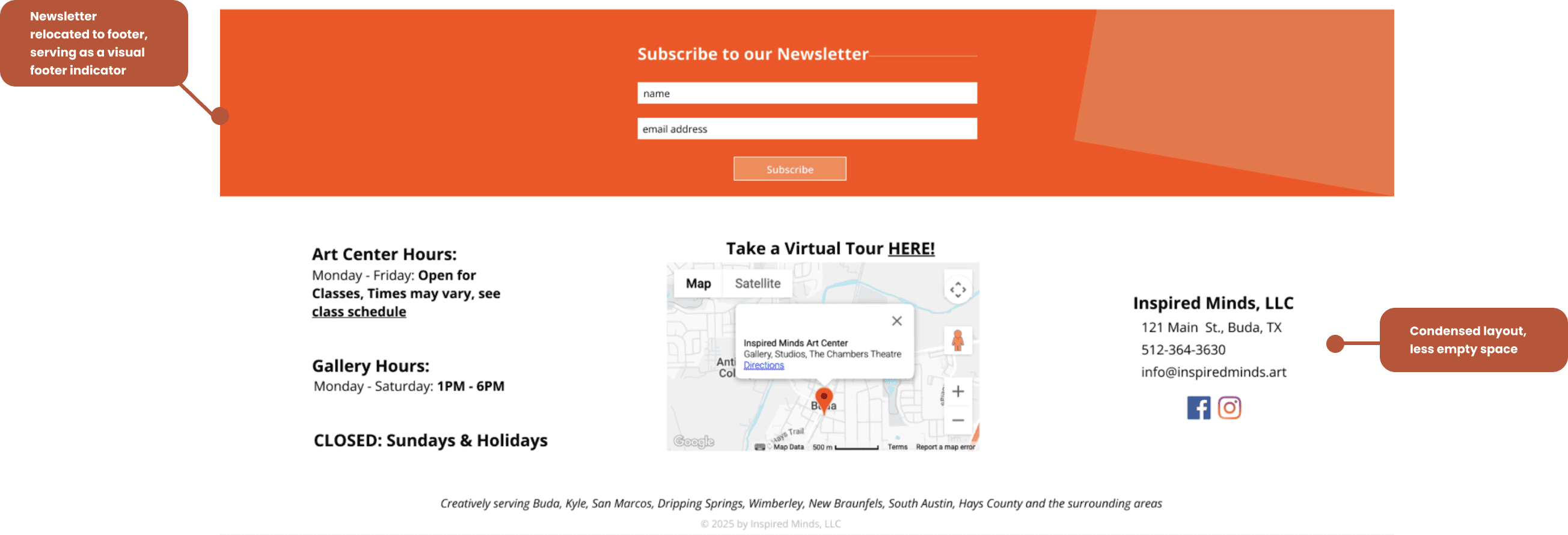
Figure 6. Arrangement of information and increased negative space in the footer to improve scannability and visual clarity.
Issue 2: Confusing Navigation
The site’s repetitive content and numerous navigation paths made participants feel lost and forced them to spend excessive time digging through dropdown menus to find specific information.
“I don't think there is a point to having all of these tabs [in the navigating bar drop-down menus]...some of them are kind of redundant, I don't see why ‘Chambers Theater’ [in the navigation bar] is different from ‘Chambers Theater’ under ‘Events’. ” - Participant
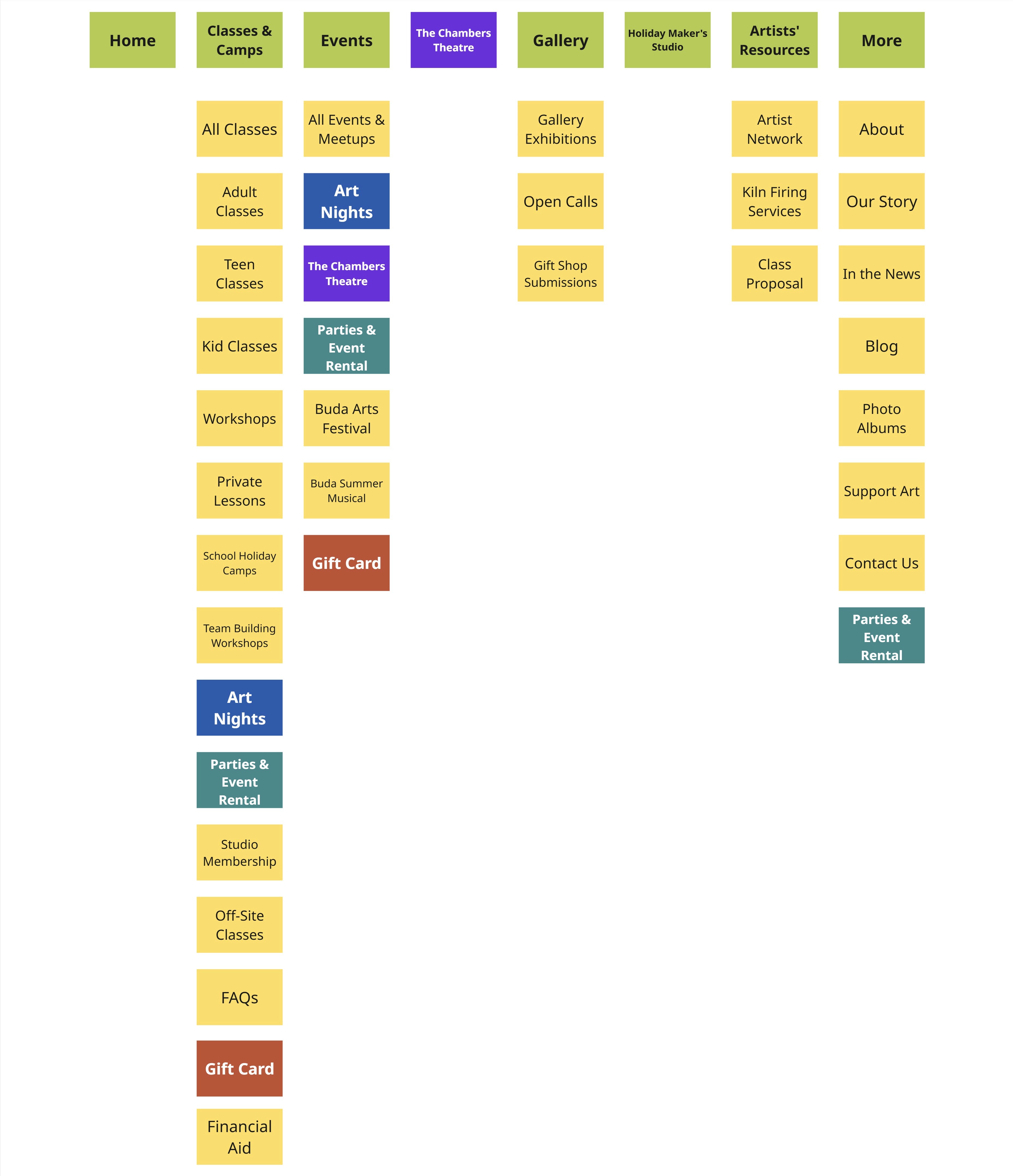
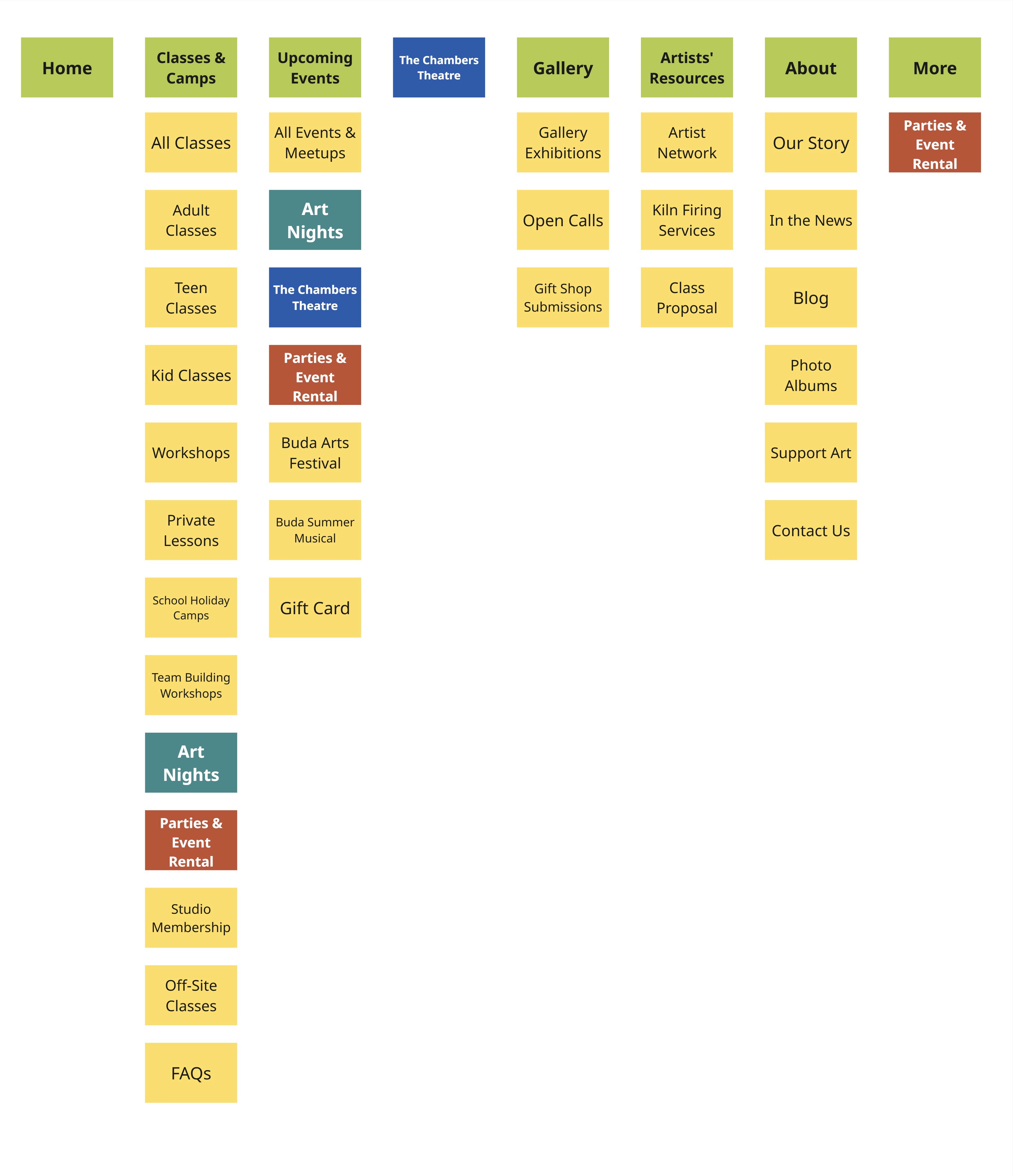
Figure 7. Sitemap with and without Current Events, Duplicate entries in matching color
Recommendation
Remove duplicate items from drop-down menus and reorganize the navigation structure for a more intuitive experience
We recommended simplifying the navigation menu by consolidating and removing duplicate options. Long dropdowns had overwhelmed participants, so we reorganized the structure by relocating duplicates and grouping overly specific items into broader, more intuitive categories.
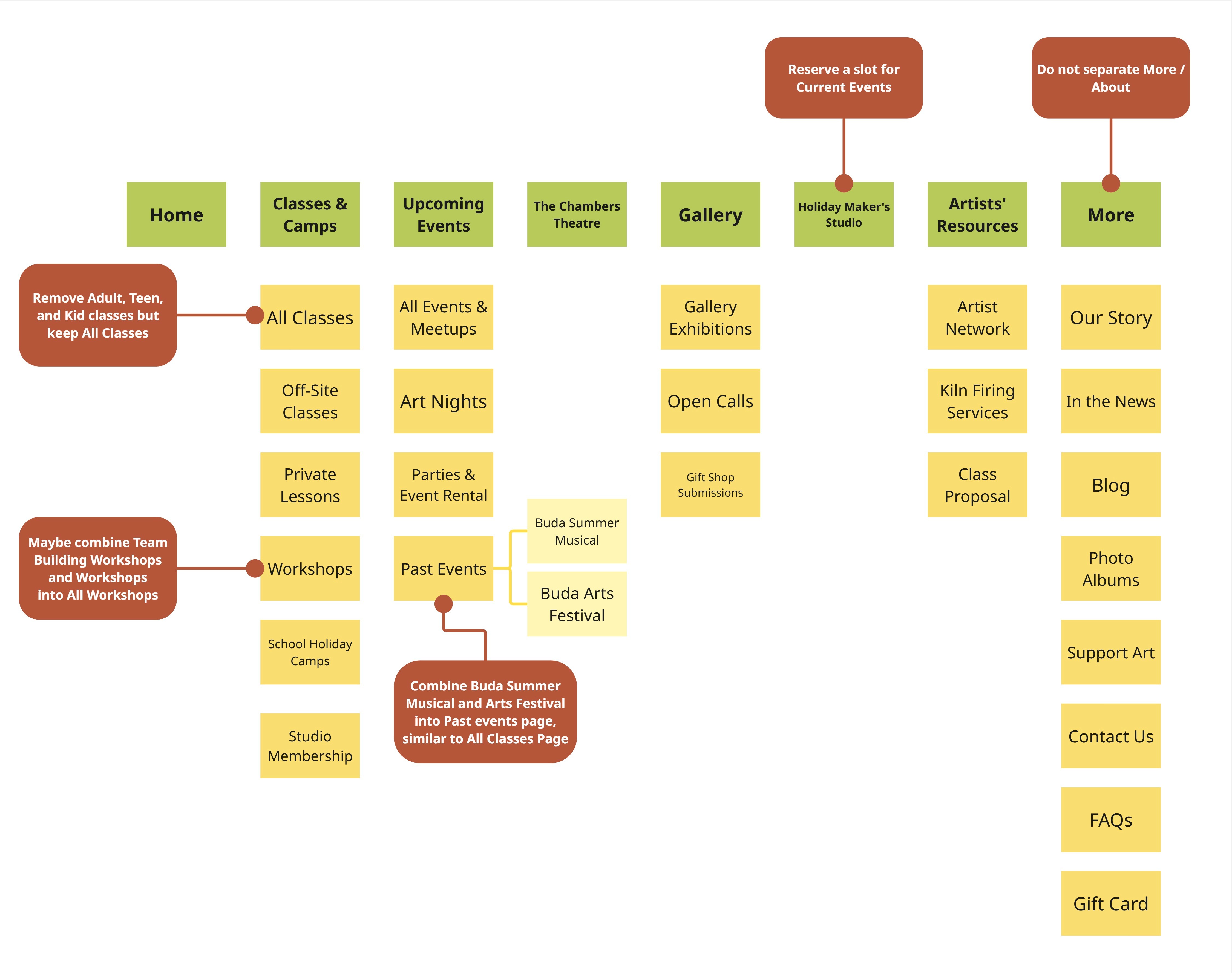
Figure 8. My proposed restructured sitemap with a focus on improving user experience
Issue 3: Legibility and Accessibility Challenges
When searching each page for the relevant information, participants found the text difficult to read and skim.
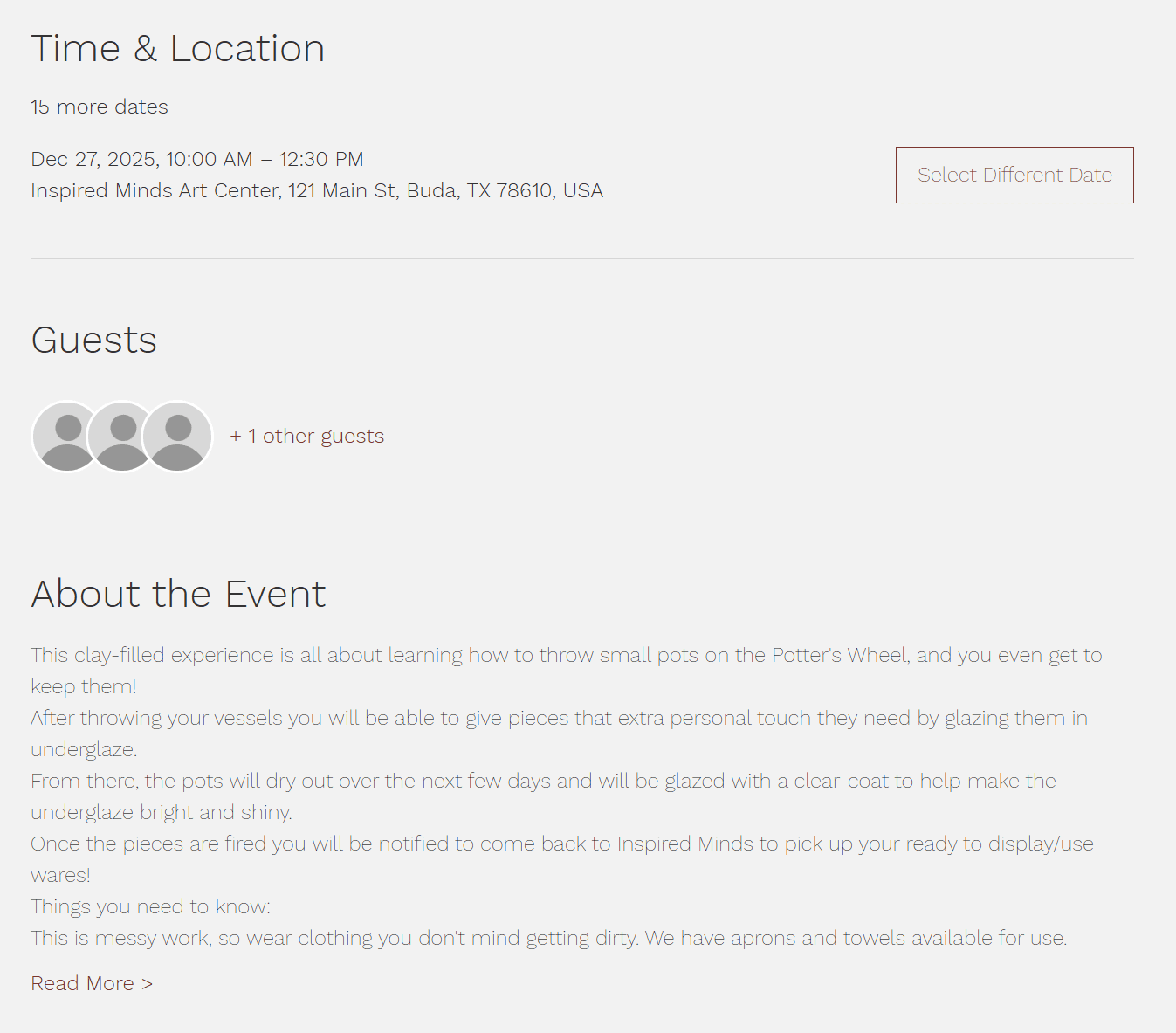
Figure 9. Event Details Page with difficult to read information
Recommendation
Increase font weight for key text elements and adjust the gray shades used on event cards to more visually accessible tones.
The issue of legibility can be fixed by increasing the contrast between the text and the background, especially for key information such as event titles, dates, and headings. We recommend increasing the font weight and color for text elements to make them more prominent and easier to scan.
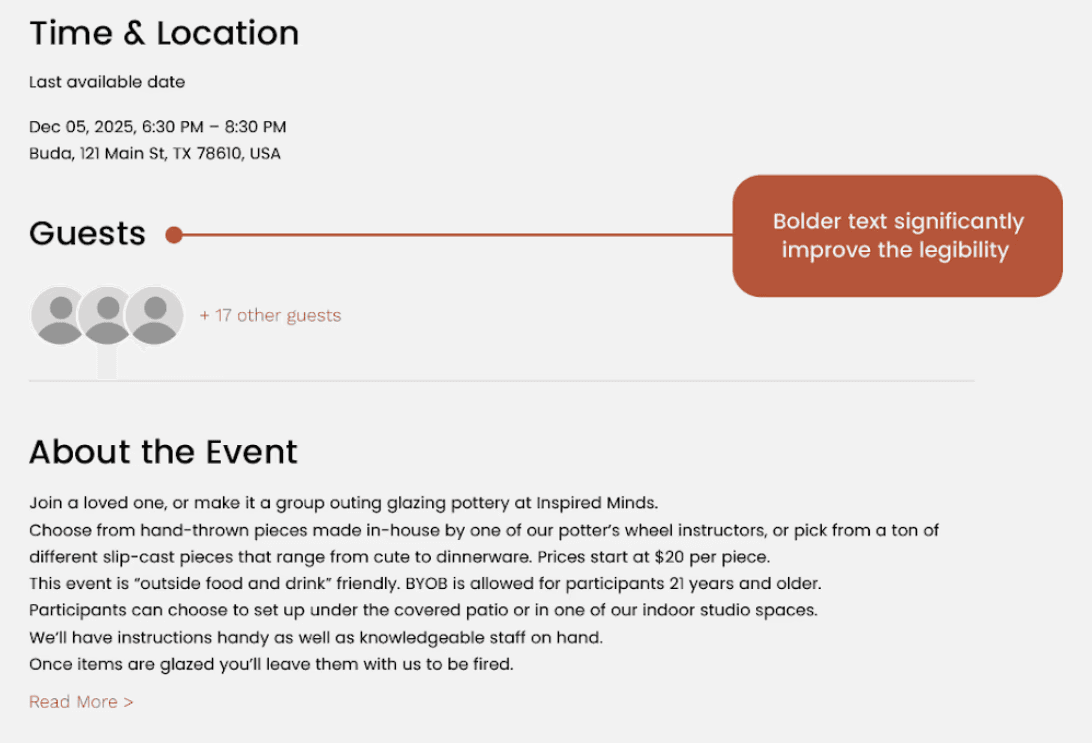
Figure 10. Proposed simple yet effective accessibility changes
Presentation
"I thought all of that was really really great."
Our client appreciated our feedback and expressed enthusiasm for implementing the suggested improvements. She found our recommendations validated some of her doubts and concerns and requested our mockups and wireframes as reference for implementation.
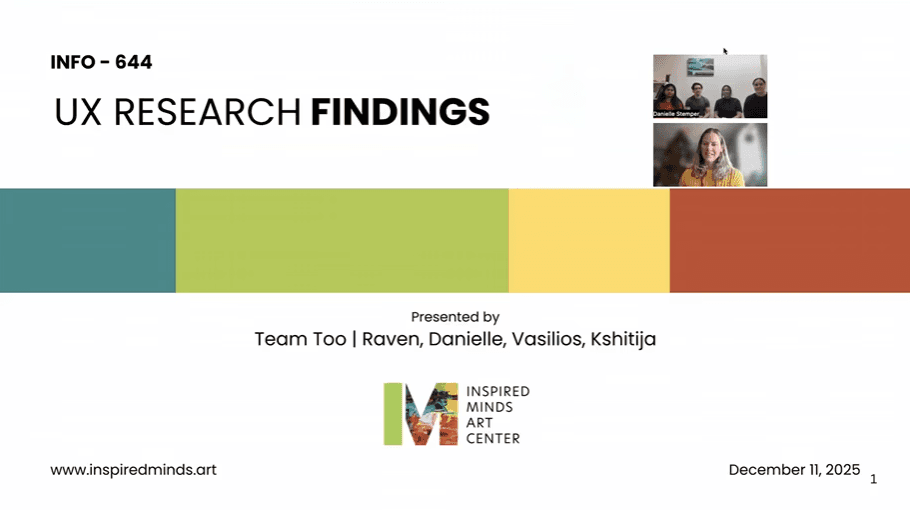
Figure 11. Our client and us at our presentation
Reflections
What's Next?
Future Steps
Due to the limited timeline, we were unable to explore usability improvements as extensively as we would have liked. Given more time, I would definitely want to focus on:
Enhancing Accessibility Further
While we touched on some accessibility, specifically within text legibility, there were so many places of opportunity for us to keep working on.
Mobile Optimization
We only realized in our presentation that we had completely neglected thoughts of optimization on other screen sizes. While we did not have the time to do so, I would love to look at this as a future opportunity.
Lessons Learned
Define the Scope
Establishing scope upfront allowed us to align expectations and avoid overextending limited time and resources.
Maintain Communications
Clear communication throughout the project helped prevent misalignment and kept the work focused.
Want to Learn More?
For an in-depth reading of our step-by-step process, check out our full documentation here:
UX Consultant
Inspired Minds
Art Center
A comprehensive report on the key findings and recommendations on the work done with Inspired Minds Art Center
Read Now